
Unleashing the Power of 360-Degree Imagery
Discover how immersive visuals can transform your storytelling and captivate your audience like never before.
Immersive Experience
Engage your audience with a visual journey that creates a profound sense of presence.
Memorable
Leverage how the human brain naturally processes visuals, resulting in quicker comprehension, higher retention, and deeper audience connection.
Innovative Storytelling
Revolutionize your narrative approach with cutting-edge imagery that feels real, transforming, and deeply engaging.
Versatile
Broad real-world use across real estate, construction, tourism, education, retail/e-commerce, marketing, and more.

Why Choose 360-Degree Imagery?
The Transformative Benefits of 360-Degree Visuals
360-degree imagery offers a unique and engaging way to tell stories by providing a comprehensive view that traditional images cannot. This immersive experience allows viewers to explore every angle, creating a deeper connection and understanding. By incorporating this technology, storytellers can enhance their narratives, making them more dynamic and memorable. Additionally, 360-degree visuals can increase viewer engagement and retention, offering a competitive edge in a crowded digital landscape.
If a picture is worth 1,000 words then a 360-degree photo is worth 10,000!
Have you ever tried to explain a visual experience to another person, and after 20 minutes, they still have a puzzled look on their face? Show them a picture and they get it almost instantly. Part of that is because our brains are designed to process visual information efficiently and another part is that language struggles to describe complex or abstract concepts. The 2D photo, while an improvement over language, can also lead to incorrect conclusions because it offers a limited perspective or it may lack context. The 360-degree photo helps to fill the gap by empowering the viewer to explore the space (zoom, rotate), and change the perspective. Group multiple 360-degree photos together and you have an information bonanza.
Taking It To The Next Level
Value Proposition of 360-Degree Imagery
In the digital age, the way we consume information requires that more details be conveyed rapidly. Images facilitate this type of communication. 360-degree photos take this communication to another level of interactivity which is part of the reason they have become commonplace on e-commerce websites. The 360 photos are ideal for sharing information on complicated products or spaces with multiple dimensions that can be seen from multiple angles. The interactive 360 imagery allows the information to be relayed, understood, and remembered more quickly.
According to Psychology Today, a large body of research indicates that visual cues help us to better retrieve information.
The research outcomes on visual learning make complete sense when you consider that our brain is mainly an image processor (much of our sensory cortex is devoted to vision), not a word processor… Words are abstract and rather difficult for the brain to retain, whereas visuals are concrete and, as such, more easily remembered.
The International Forum of Visual Practitioners says your brain loves pictures.
Visualisation works from a human perspective because we respond to and process visual data better than any other type of data. In fact, the human brain processes images 60,000 times faster than text, and 90 per cent of the information transmitted to the brain is visual. Images are also better than text because reading is rather inefficient for us.
Pros and Cons of 360-Degree Imagery
While 360-degree imagery offers unparalleled immersion and engagement, it also comes with challenges. On the positive side, it allows for a more interactive and engaging experience, capturing the viewer’s attention and providing a comprehensive perspective. However, it requires more resources and expertise to produce high-quality content, and not all platforms support this format seamlessly. Balancing these factors is crucial for effective implementation.
Navigating the Challenges
Understanding the limitations and potential pitfalls of 360-degree imagery is essential for leveraging its full potential. While it can significantly enhance storytelling, it demands careful planning and execution to ensure compatibility and quality across different devices and platforms.
- Fine details may be limited for objects at a distance
- Large image file size
- Poor low light quality requiring artificial light sources while capturing 360 photos
- Specialty camera equipment
- Device support may be limited, Example: iPhones require an app to display 360 images, websites require plugins to display 360 images.
- Some social media platforms do not support native posting of 360 photos (Linked In, Instagram).

Reaping The Rewards
If you’re in any visual industry and you’re not using 360° imagery yet, you’re missing a massive opportunity. It’s no longer a “nice-to-have”, it’s becoming table stakes for the visual storyteller.
- Complete wide-angle view of a scene or product
- Interactively explore the environment in the photo
- More engaging and memorable experience as it engages more senses
- Versatile enough to be used in multiple industries (real estate, construction, marketing, e-commerce, project management, and project change/progress tracking).
- Android phones natively support 360 photo viewing in 360 mode.
- Native posting is supported on some social media platforms (Facebook, YouTube, Google Photos, Vimeo).
Elevating Your Visual Storytelling
Advanced Techniques for 360-Degree Imagery
A common use of 360° imagery is the creation of virtual tours that offer value for visual storytelling, marketing, construction, real estate, historical preservation, and more. When creating 3D virtual tours (often built with tools like 3DVista Virtual Tour PRO, Matterport, CloudPano, Kuula, or similar platforms), the navigation options you select can transform a basic 360° experience into something truly engaging, intuitive, or perfectly guided. Navigation defines how users move through the space. Whether they explore freely, follow a story, or jump directly to points of interest.
Here are three of the most popular and powerful navigation styles commonly used in modern 3D/360° tours: Click and Go (free-roam style), Auto Tour / Guided / Auto-Pilot (story-driven), and Gallery / Thumbnail / Menu-based (quick-jump selector). Each suits different goals, property sizes, and audience needs. Keep in mind, there are more options and ways to blend some of these options. Depending on the solution you choose, you may also find a rich third party market providing additional features and functions to enhance your 3D/360 tours.
1. Click and Go Navigation (Free Exploration / Street View-Style)
Click and Go (a signature feature in 3DVista and similar in other tools) lets users click almost anywhere on the floor or ground to move smoothly to the nearest connected panorama. The cursor changes to a dynamic circle that adapts to perspective, creating a natural “walk anywhere” feel. Much like Google Street View but customized for your space.
This option is best for Real estate (large homes, open-plan offices), art galleries, showrooms, warehouses, or any environment encouraging free exploration.
2. Auto Tour with Waypoints (Guided / Auto-Pilot Mode)
Auto Tour (often called Auto-Pilot in 3DVista) turns your virtual tour into a self-running presentation. You define a sequence of waypoints (specific panorama positions + viewing directions), add timed actions (narration audio, pop-ups, videos, highlights), and let the tour play automatically—like a narrated walkthrough video, but fully interactive.
This option is best for Property listings with key selling points, museum exhibits, product showcases, corporate overviews, hotels, or educational tours. Later in the article, I show an example of an Auto Tour of a Veterans Memorial Plaza.
3. Gallery Tour with Preview (Thumbnail / Menu Selector)
Gallery Tour (or thumbnail/menu navigation) presents a grid, sidebar, or dropdown of scene previews—often labeled thumbnails (e.g., “Master Bedroom,” “Pool Area”). Users hover for quick previews, then click to teleport directly to that location.
Best for Hotels with many rooms, large estates, museums, commercial spaces, or tours where users know exactly what they want to see.
Which Navigation Style Should You Choose?
- Go with Click and Go for maximum immersion in spacious, open environments.
- Choose Auto Tour when you need to guide attention, sell features, or deliver education/narration.
- Use Gallery Preview for quick access in bigger properties—or offer it as an entry point/switchable option.
- Tip: The strongest tours combine them! Many platforms let users toggle modes via buttons (e.g., start in Gallery, offer “Start Guided Tour,” then enable Click and Go). Test combinations to match your audience.
Auto Tour / Guided / Auto-Pilot
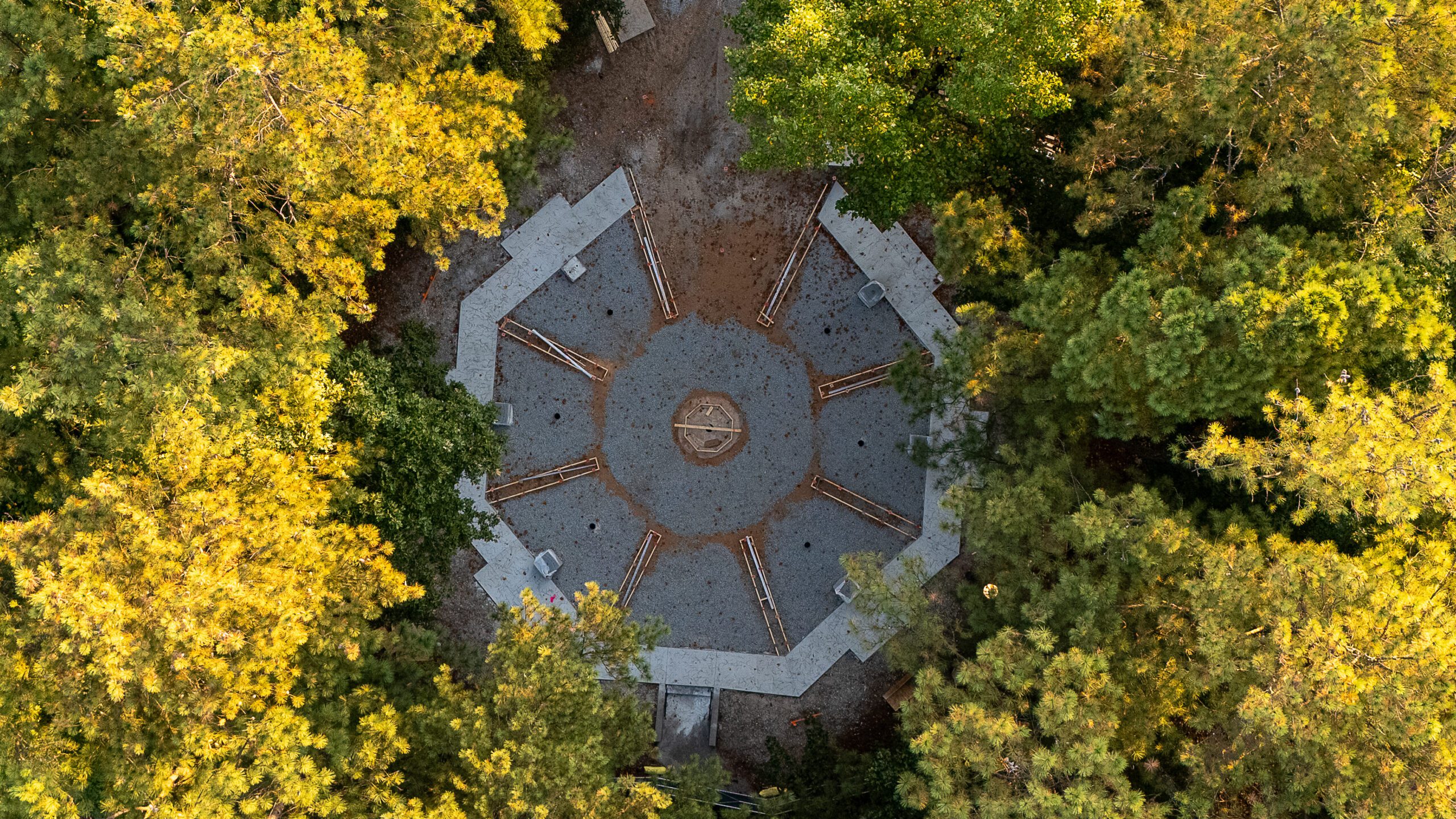
In this Auto Tour / Guided / Auto-Pilot example, I am using 3DVista’s 3D Virtual Tour Pro to create a story driven narrative of Veterans Memorial Plaza in Dunwoody, GA. The imagery was captured using a combination of drone and ground based 360 cameras. The tour is guided through a series of panoramics with preselected waypoints that steer the focus of the scene without requiring the user to figure out navigation or orientation. The project was created using the desktop version of 3DVista and published using the standalone Web/Mobile option. 3DVisita comes preloaded with several skins and a robust marketplace for purchasing additional skins, custom features, and functions. Built into 3DVista is the powerful feature of presenting True Digital Twins using 3D Models, 360º panoramas, photos, videos, 360º videos.
360-Degree Imagery Solutions by Industry
Real Estate: Virtual Property Tours
- Matterport: Offers interactive 3D tours.
- Zillow 3D Home: Provides 360-degree home views.
- Kuula: Enables creating and sharing virtual tours.
Tourism: Immersive Travel Experiences
- Google Maps Street View: Offers global 360-degree street views.
- Airbnb Experiences: Features 360-degree views of accommodations.
- Google Maps: Integrates 360-degree photos for landmarks.
Education: Interactive Learning Environments
- ThingLink: Integrates 360-degree photos with interactive elements like annotations and quizzes, ideal for educational content creation.
- Roundme: A platform for creating and sharing 360-degree virtual tours, Roundme is popular for educational simulations, such as medical training or historical site visits
Retail: Virtual Storefronts & eCommerce
- V-Commerce: Provides 360-degree product views.
- Threekit: Offers interactive 3D and 360-degree visualizations.
Construction & Architecture
- Drone Deploy: Uses 360-degree camera to capture and organize photos, overlay maps.
- Autodesk: Integrates 360-degree photos for project visualization and collaboration.
- Archilogic: Used 360-degree photos for virtual site visits
Marketing: Dynamic Campaigns
- Wistia: A video hosting platform for marketing, ideal for product launches
- 360PhotoInc: Creates 360-degree virtual tours for businesses, particularly for Google Street View
Art & Historic Preservation
- Google Arts & Culture: Offers 360-degree virtual tours of museums, galleries, and historical landmarks, making culture accessible worldwide.
- CyArk: Uses 360-degree photography to document heritage sites, preserving them for future generations.
The opportunities are endless. You can find solutions for fashion, furniture, jewelry, automotive and machinery, electronics, and much more. Pick your industry or application, and there is a solution to help you better communicate and interact with your audience.
Architecture: Design Visualization
Healthcare: Patient Engagement Tools
Hospitality: Virtual Hotel Tours
Automotive: Virtual Showroom Experiences
Manufacturing: Product Demonstrations
Non-Profit: Virtual Fundraising Events
Sports: Immersive Game Highlights
Media: Interactive News Stories
Construction: Site Progress Monitoring
Training: Simulated Environments
Conclusion
The Essential Role of 360-Degree Imagery
In today’s digital age, the ability to captivate audiences with immersive experiences is paramount. 360-degree imagery offers a unique opportunity to engage viewers by placing them at the center of the story. This technology not only enhances visual storytelling but also fosters a deeper connection with the audience.
By leveraging the power of 360-degree imagery, businesses across various industries can create compelling narratives that resonate with their target audiences. As we continue to explore the potential of this innovative tool, its importance in crafting memorable and impactful stories becomes increasingly clear. Embrace 360-degree imagery to elevate your storytelling and leave a lasting impression.
Unlock the Full Potential of Visual Storytelling
Ready to transform your storytelling with immersive 360-degree imagery? Dive deeper into our resources for exclusive insights to elevate your visual narratives. Schedule a free consultation and take the next step in captivating your audience today!